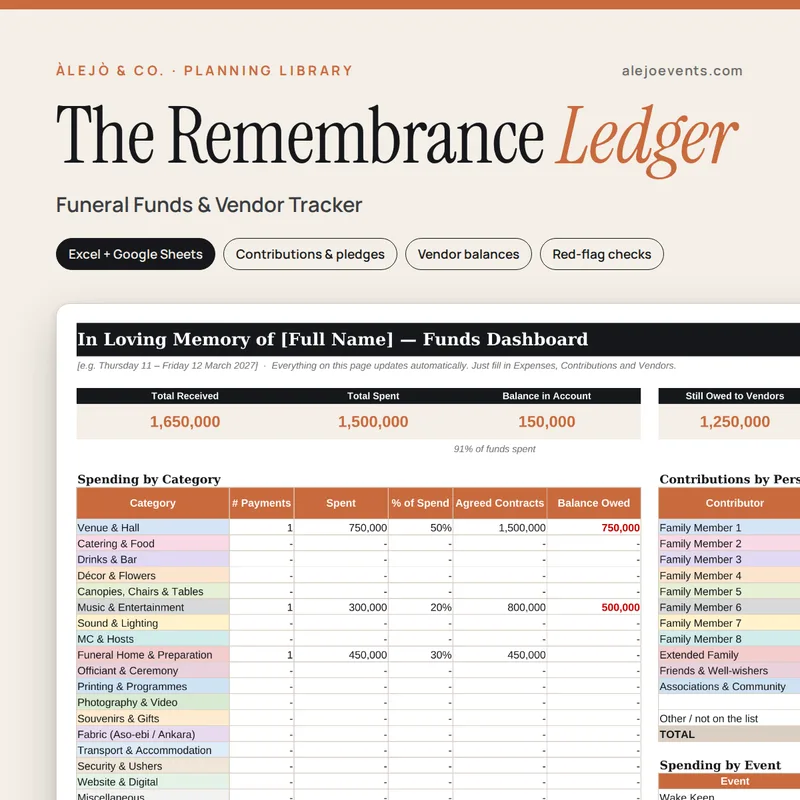
The Remembrance Ledger
One clear, shared record of family contributions and funeral costs.
- Contributions and pledges by family member
- Vendor contracts vs payments
- Red-flag checks: missing receipts, overpayments
The trackers we use to keep real family events organised, made ready for you. Budgets, contributions, guest lists, running orders and the clean-up after. Fill in the blue boxes and everything else works itself out.
Tap a book to look inside.
One clear, shared record of family contributions and funeral costs.
Bundles are coming to the shop soon.
Pick the template for your event. Every one comes with sample rows so you can see how it works before you start.
Checkout is handled securely by Selar, our payment partner.
You get your download link as soon as you’ve paid. Open the file in Excel, or upload it to Google Drive and open it with Google Sheets.
Both. The file is a standard .xlsx. Open it in Microsoft Excel, or upload it to Google Drive, open it with Google Sheets and choose File → Save as Google Sheets.
Yes. Type your currency on the Start Here tab and every heading updates. Selar can show the price in your own currency at checkout.
Straight after payment you’ll get your download link from Selar. Lost it? Email [email protected] with your receipt.
Templates can’t be refunded once downloaded. If a file is faulty, we’ll replace it. See our terms and refund policy.
Each purchase is for personal use. If you’re a planner or vendor who’d like to use them with clients, get in touch.
Guest lists, access passes, vendors and the whole day, taken off your hands.